HR management
Hiring an employee in Italy: the onboarding checklist
What to do when you hire an employee in Italy: UniLav notification, contract information, documents to collect, safety, privacy and the first day.
Published 2 min read
Hiring someone opens a long to-do list: some items are required by law, others are just common sense. Missing one can be costly, especially if it has a deadline. Here is a checklist, in chronological order, so nothing slips.
Before the first day
- Mandatory hiring notification (UniLav). It must be sent electronically by the day before employment starts. The payroll consultant usually sends it: ask them to do it on time.
- Contract and CCNL. Define the contract type, level, duties, weekly hours and the collective agreement that applies.
- Information on the employment relationship. The employer must give the employee the information required by law (Legislative Decree 152/1997, updated by Legislative Decree 104/2022) on hours, pay, probation period and so on, within deadlines that are very short for some items: ask your consultant which ones.
- Documents to collect: ID, tax code (codice fiscale), IBAN for salary, any residence permit, details for tax relief and dependants.
On the first day
- Workplace safety. Information and training on risks (Legislative Decree 81/2008), protective equipment where needed and, when required, a medical check.
- Privacy. The notice on how personal data is processed (art. 13 GDPR) and the rules on using company tools.
- Access to tools: email, internal systems and the system for recording hours.
- Hours and rules: when to clock in or record, how to request vacation and leave, who to tell in case of sickness.
In the first few days
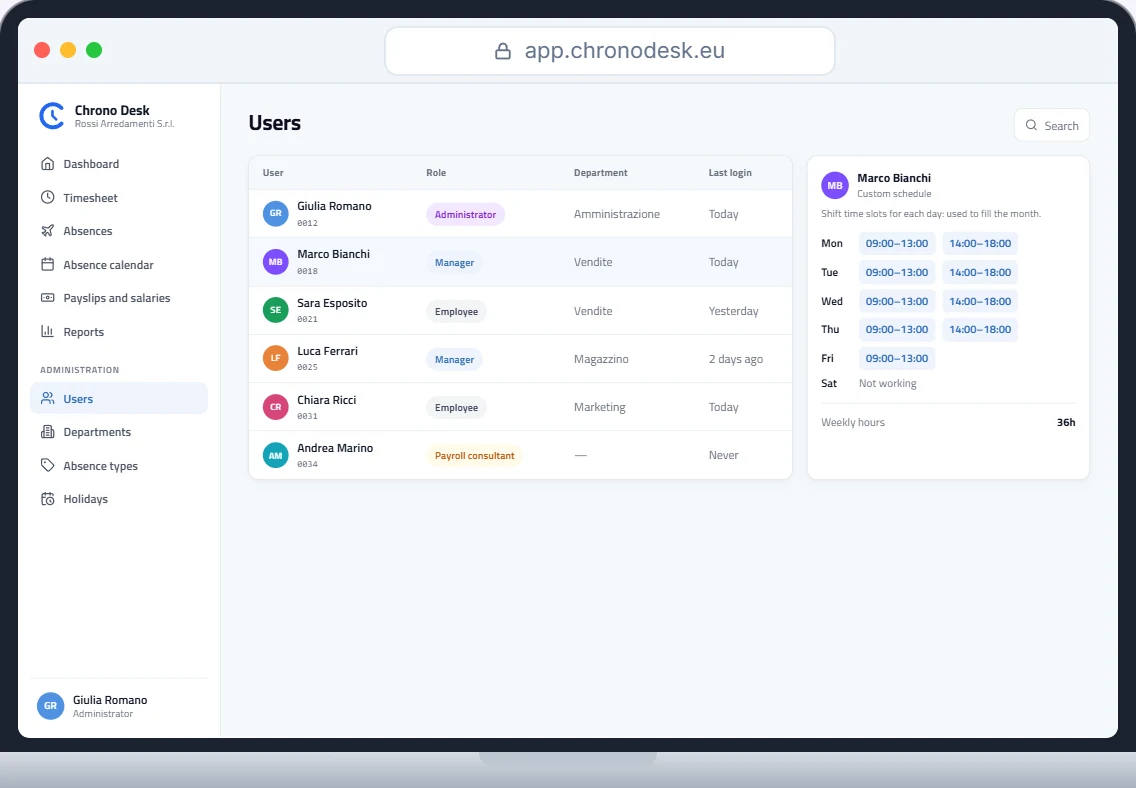
- Personal schedule in the system: weekly hours and time slots, so hours calculate themselves.
- Vacation and leave balances set from day one, with the amount already accrued if the hire is mid-year. For the maths use our accrued vacation calculator.
- Payslip data passed to the consultant: role, level, hours, any allowances.
- Paying the salary: remember salaries can’t be paid in cash. Read the guide on payslips and traceable salaries.
- Probation period: put the end date in the diary, so you don’t find out after the fact.
Common mistakes
- UniLav late or forgotten because “someone else was handling it”.
- No information notice on hours and pay.
- Vacation not set up until the first problem.
- IBAN collected at the last minute, with the salary transfer delayed.
- No access to the attendance system, and hours rebuilt from memory at month end.
How Chrono Desk does it
Chrono Desk helps with the day-to-day organisation:
- add the new employee and assign department, manager and role;
- set contract, weekly hours and a custom schedule;
- configure absence types and balances for vacation and leave for the year;
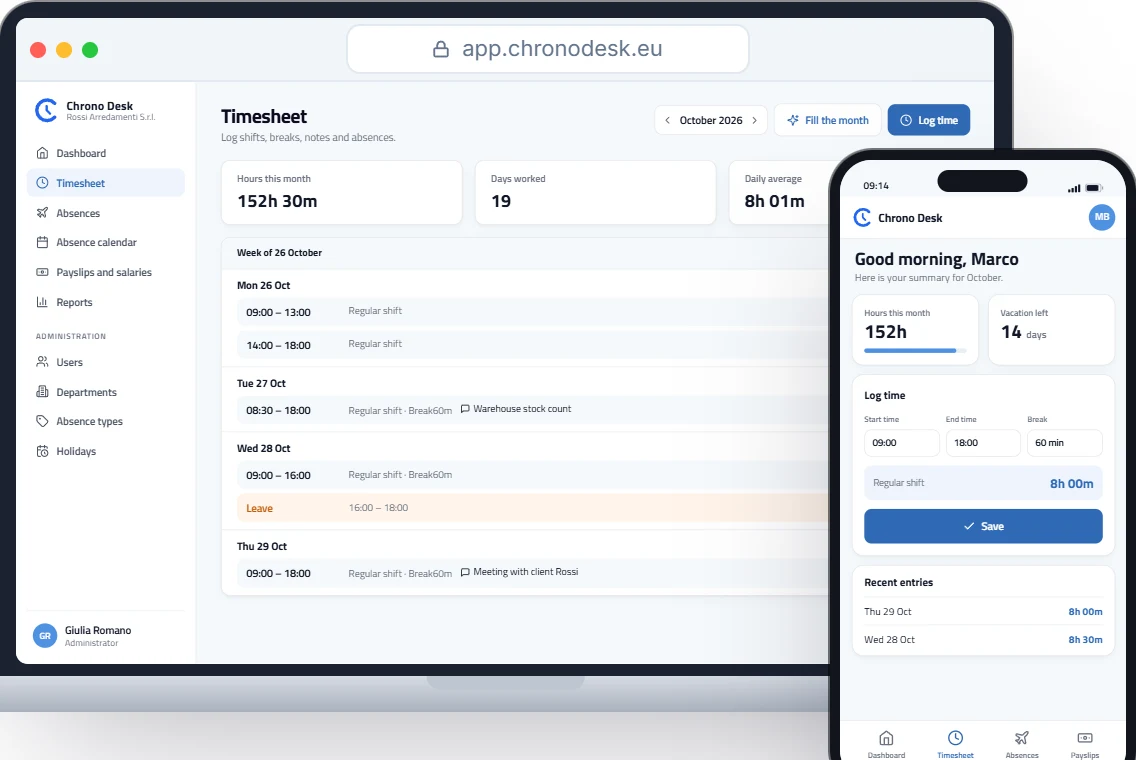
- from day one they log hours from the browser, including on a phone, and at month end the consultant downloads the reports;
- access is with the RoxPay account, with no extra passwords.
Want to see how a new employee is set up? Request a demo.
This guide is for information only and does not replace advice from your payroll consultant or the rules of your collective agreement.