
Vacation and leave in Italy: how they are calculated and tracked
Italian law requires at least 4 weeks of paid vacation a year. How it accrues monthly, what ROL and ex-holiday leave are, and how to track balances and carryover.
Published 3 min read
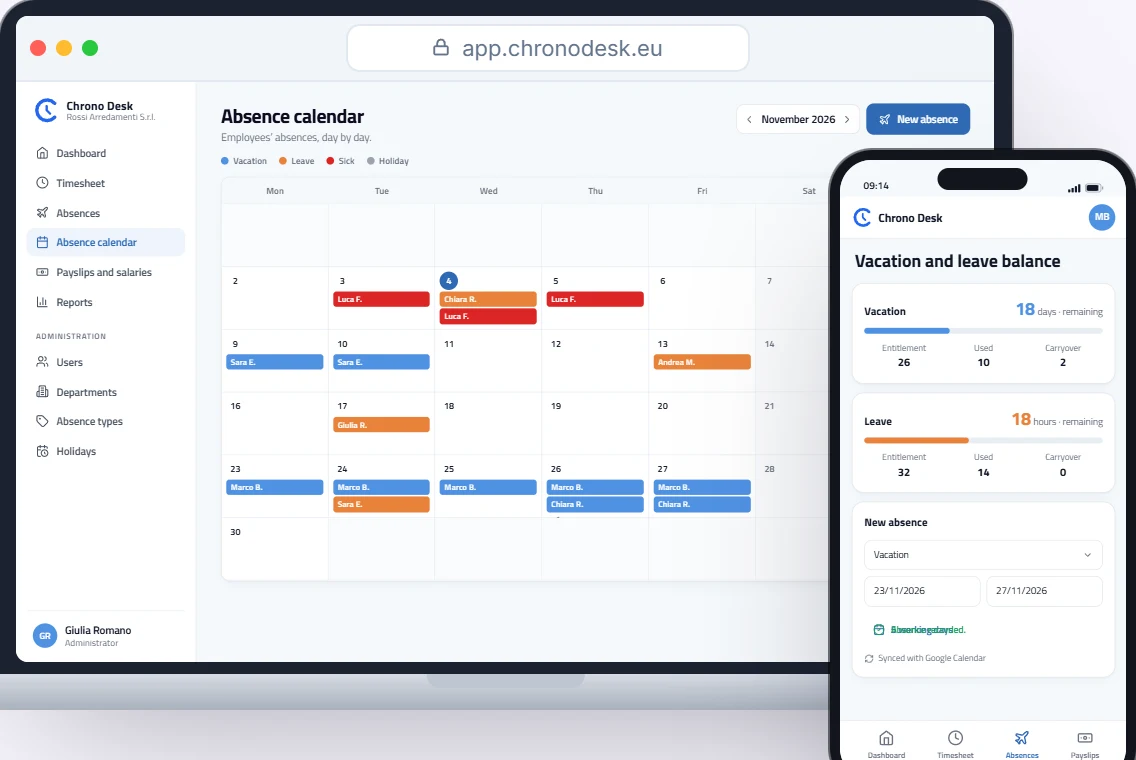
“How many vacation days do I have left?” is one of the questions a company hears most. To answer it you need three things: how much vacation and leave is due, how much has been used and how much was carried over from last year. Here is how it works in Italy.
How much vacation the law requires
In Italy paid vacation is a right that cannot be waived (art. 36 of the Constitution). Legislative Decree 66/2003, art. 10, gives every worker at least four weeks of paid vacation a year. The applicable collective agreement (CCNL) can grant more, never less.
The law also sets when it must be taken:
- at least two weeks in the year it accrues (consecutive, if the worker asks);
- the other two weeks within 18 months after the end of that year.
The statutory minimum cannot be paid out instead of taken. The only exception is when employment ends: then unused vacation is paid in the final payslip.
If vacation stays unused beyond the 18 months, the company still has to pay social security contributions on it. That is one more reason to watch balances during the year, not just in December.
How vacation accrues month by month
Vacation doesn’t arrive all at once on 1 January: it accrues every month worked. The monthly share is simply the annual total divided by 12.
An example with the legal minimum for a full-timer on 40 hours a week:
| Calculation | Result | |
|---|---|---|
| Annual vacation | 4 weeks × 40 hours | 160 hours |
| Per month | 160 hours ÷ 12 | 13.33 hours |
| After 9 months | 13.33 × 9 | 120 hours |
Some collective agreements count a part-month of more than 15 days as a full month; check what yours says. For part-timers the calculation follows the reduced schedule, which is why tracking vacation in hours, not only days, is handy.
Leave: ROL, ex-holidays and the rest
On top of vacation, almost every CCNL grants paid leave in hours:
- ROL (Riduzione Orario di Lavoro): leave hours set by the collective agreement; the amount varies by CCNL and sometimes by company size.
- Ex-holidays (ex festività): leave hours that compensate for public holidays abolished by Law 54/1977 (four, after Epiphany was restored), often 32 hours a year, but again the CCNL decides.
Like vacation, they accrue in proportion to service and have their own rules on expiry and payout, set by the agreement.
Other absences don’t reduce vacation and must be recorded separately: sickness, Law 104 leave (3 days a month for carers), marriage leave, parental leave and so on. Each is treated differently in payroll, so the absence type must always be recorded precisely.
Entitlement, used, remaining, carryover
For each absence type, keep four numbers:
- Entitlement: what accrues in the year, based on contract and schedule.
- Carryover: what is left from the previous year.
- Used: what has been taken or is planned.
- Remaining: entitlement + carryover − used.
“Remaining” is the answer to “how many days do I have left?”. If these numbers live in a spreadsheet someone updates now and then, they will never be reliable.
Mistakes to avoid
- Days for people who work in hours. With different hours on different days, days aren’t enough.
- Absences recorded outside the timesheet. If vacation is in one calendar and hours in another file, the totals won’t match.
- Forgotten public holidays. A public holiday inside a vacation period does not use up vacation. Set the holiday calendar (including the local patron saint’s day, where it applies) at the start of the year.
- Carryover not updated in January. Last year’s remaining balance must move to the new year.
How Chrono Desk does it
In Chrono Desk vacation and leave live alongside the timesheet:
- configurable absence types, tracked in days or in hours;
- per employee: entitlement, used, remaining and carryover, always up to date;
- an absence calendar showing the whole team day by day, with public holidays already marked;
- absences sync with the employee’s Google Calendar;
- the payroll consultant finds everything in the period reports.
Want to see how it fits your collective agreement? Talk to us.
This guide is for information only and does not replace advice from your payroll consultant or the rules of your collective agreement.