Employee timesheets in Italy: the rules and a setup that works
What an employee timesheet should record, which Italian working-time rules apply and how to set it up so payroll gets correct data at the end of every month.
Published 4 min read
A timesheet is the day-by-day record of the hours each employee works: shift start and end, breaks, overtime and absences. It looks like admin detail, but it is the data payslips are built from. If the timesheet is wrong or incomplete, so are the payslips.
This guide covers what to record, which Italian rules to keep in mind and how to organise timesheets so you don’t have to rebuild everything at the end of the month.
Why the timesheet matters
Every month the payroll consultant (consulente del lavoro) needs to know, for each employee, how many hours they worked and which days they were absent and why. With that data they fill in the Libro Unico del Lavoro (LUL), Italy’s single employment register, and the payslips.
The LUL, introduced by art. 39 of Decree-Law 112/2008, includes an attendance calendar for every worker, showing the hours worked each day. According to the Ministry of Labour’s circular no. 20/2008 it also records overtime, absences, vacation and rest days; for workers on fixed or daily pay, only the day of presence needs to be noted. It must be completed by the end of the month following the one it refers to.
In practice, the timesheet you keep in the company is the source of the data that ends up in the LUL. The more accurate and timely it is, the fewer corrections later.
There is a European angle too: in 2019 the EU Court of Justice (case C‑55/18) ruled that Member States must require employers to have an objective, reliable and accessible system for measuring daily working time. A spreadsheet filled in from memory at the end of the month hardly fits that description.
Working-time rules to keep an eye on
The main reference is Legislative Decree 66/2003. The rules a timesheet helps you respect are mainly these:
- Maximum hours: on average no more than 48 hours a week, overtime included, over a reference period of 4 months (collective agreements can extend it).
- Daily rest: at least 11 consecutive hours in every 24.
- Breaks: if the working day exceeds 6 hours, a break is due; the collective agreement sets its length, and failing that it is at least 10 minutes.
- Weekly rest: at least 24 consecutive hours every 7 days, normally on Sunday.
- Overtime: if the collective agreement is silent, at most 250 hours a year per worker.
The applicable national collective agreement (CCNL) may add more specific rules on normal hours, overtime pay and flexibility. That is why it helps when the payroll consultant can see the data directly.
Common mistakes with paper and spreadsheets
- Filling it in at the end of the month. Hours are written down from memory on the 30th, and mistakes are inevitable.
- One file per person, many versions. Everyone uses their own template; some send a PDF, some a photo.
- Breaks worked out by hand. Did someone who wrote 9:00–18:00 work 9 hours or 8? It depends on the break, which often isn’t recorded.
- Absences recorded elsewhere. Vacation in one calendar, leave in an email, sick days in a chat message.
- No history of changes. When something is corrected, nobody knows who changed it or when.
How to set up timesheets properly
1. Start from each employee’s schedule
For each person set the contract, weekly hours and standard schedule: the time slots for each day. A part-timer and a full-timer on a split shift have very different weeks, and the timesheet needs to know.
2. Record every day, not at month end
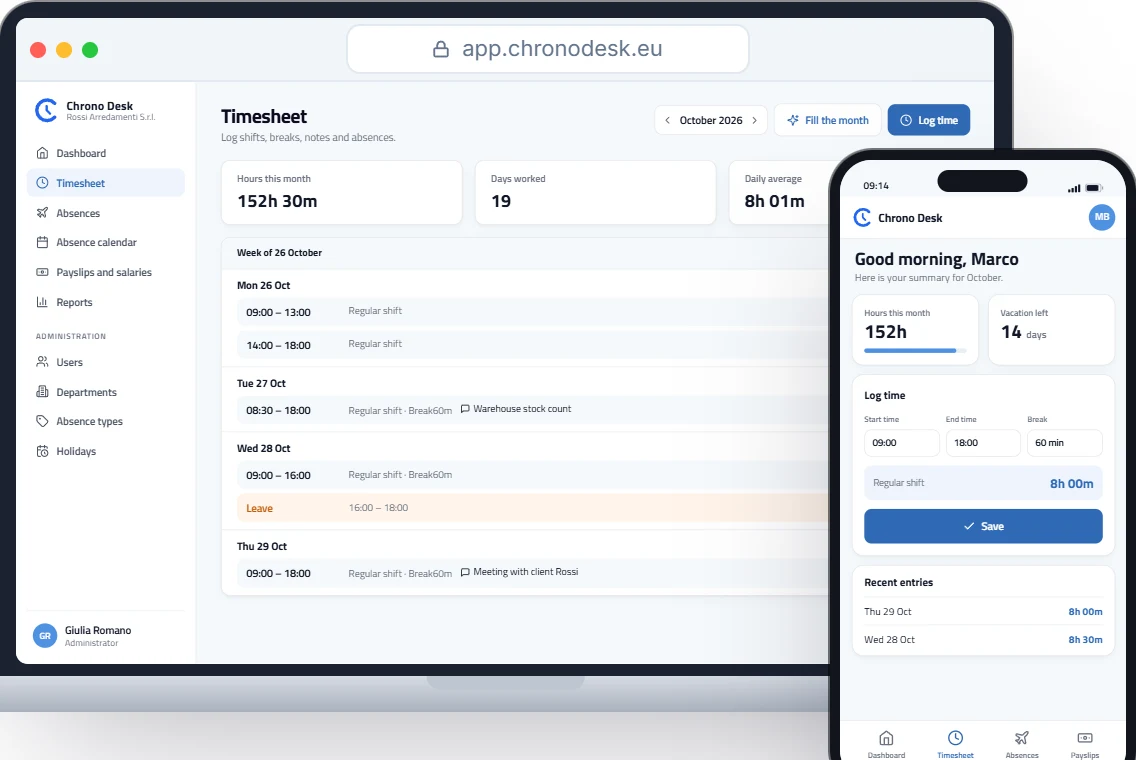
Employees log a shift when they work it: start, end, break and a note if needed. If the schedule is regular, the best option is to fill the month automatically from the standard schedule and only correct the exceptions.
3. Let the system calculate hours
Hours worked are end minus start, minus the break. Nobody should do that by hand.
4. Keep hours and absences together
Vacation, leave and sick days belong in the same record as hours, so the monthly summary is complete and balances stay current. See also: Vacation and leave in Italy.
5. Give everyone the right visibility
Employees see their own hours, managers their team’s, admins and the payroll consultant the whole company’s.
6. Close the month with a ready report
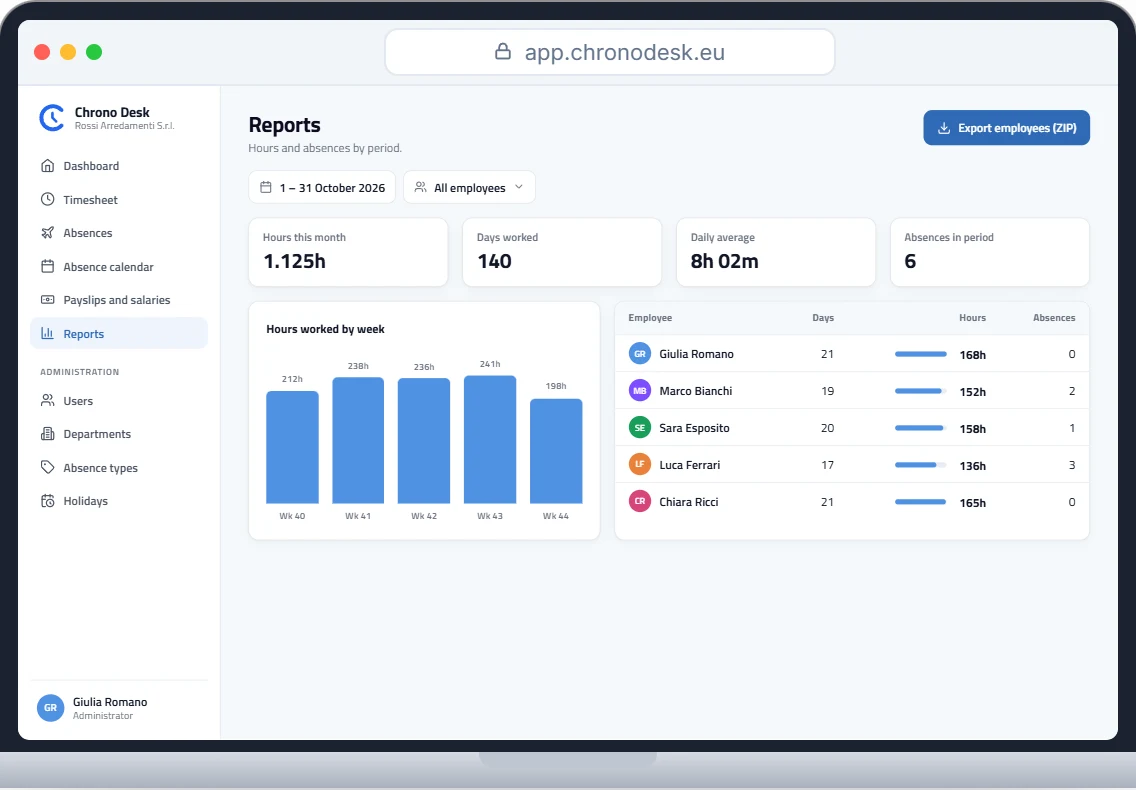
At month end you need a summary by period and employee (days worked, total hours, absences) in a format the consultant can import, such as CSV.
How Chrono Desk does it
Chrono Desk is built around this flow:
- each employee logs start and end time with the break, or just the total hours;
- hours are calculated automatically, minus the break;
- “Fill the month” fills the timesheet from the employee’s custom schedule, so only exceptions need correcting;
- vacation, leave and sick days live in the same place, with up-to-date balances;
- the payroll consultant has a dedicated role and downloads hour reports, with one CSV per employee in a single ZIP file.
Want to see it with your company’s data? Request a demo.
This guide is for information only and does not replace advice from your payroll consultant or the rules of your collective agreement.